
Top 10 Linux Commands Every Developer Should Know
Linux is the backbone of modern software development. From cloud servers and DevOps pipelines
to containers, CI/CD systems, and production environments, Linux powers a huge portion of today’s technology stack.
For developers, knowing essential Linux commands is not optional—it is a fundamental skill.
Whether you are a backend developer, DevOps engineer, system administrator, or even a frontend developer
working with deployment servers, Linux command-line proficiency will dramatically improve your productivity.
This guide covers the top 10 Linux commands every developer should know, with clear explanations and real-world use cases.
Why Developers Should Learn Linux Commands
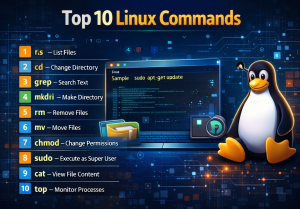
Linux commands allow developers to interact directly with the operating system.
Instead of relying on graphical interfaces, you can manage files, processes, permissions,
networking, and system resources efficiently using the terminal.
In professional environments, most servers run Linux without a graphical interface.
Knowing core commands helps you debug issues faster, automate tasks,
and work confidently in production systems.
1. ls – List Files and Directories
The ls command is one of the most frequently used Linux commands.
It displays the contents of a directory and helps you understand the file structure.
Developers use ls to verify file locations, inspect directories,
and check permissions when debugging issues.
Common options allow you to view hidden files, file sizes, and detailed information.
2. cd – Change Directory
The cd command allows you to navigate between directories in the file system.
It is essential for moving through project folders and accessing configuration files.
Developers often combine cd with other commands to move quickly
between source code directories, logs, and deployment paths.
3. pwd – Print Working Directory
The pwd command displays the current directory you are working in.
While simple, it is extremely useful when working on complex systems with deep directory structures.
Developers rely on pwd to confirm their location before executing
commands that could modify files or system settings.
4. mkdir – Create Directories
The mkdir command is used to create new directories.
Developers frequently use it when organizing project files,
creating backup folders, or setting up environments.
It also supports creating nested directories in a single command,
making it very efficient for initializing project structures.
5. rm – Remove Files and Directories
The rm command deletes files and directories from the system.
It is powerful and potentially dangerous, so it must be used carefully.
Developers use rm to clean up temporary files,
remove old builds, or delete unused resources.
Understanding its behavior is critical to avoid accidental data loss.
6. cp and mv – Copy and Move Files
The cp command copies files and directories,
while mv moves or renames them.
These commands are essential for managing code, configuration files, and backups.
Developers commonly use these commands during deployments,
environment setup, and file reorganization tasks.
7. grep – Search Text in Files
The grep command searches for text patterns inside files.
It is one of the most powerful tools for developers working with logs,
configuration files, and large codebases.
Developers use grep to find error messages,
search for function names, or locate specific configuration values.
Combined with other commands, it becomes a powerful debugging tool.
8. chmod – Change File Permissions
Linux uses a permission-based system to control access to files and directories.
The chmod command allows developers to change these permissions.
This command is especially important when deploying applications,
running scripts, or securing sensitive files.
Incorrect permissions can break applications or create security risks.
9. sudo – Execute Commands as Superuser
The sudo command allows users to execute commands with administrative privileges.
Many system-level operations require elevated permissions.
Developers use sudo to install software,
modify system configurations, restart services,
and manage server environments securely.
10. top – Monitor System Processes
The top command provides a real-time view of running processes,
CPU usage, memory consumption, and system load.
Developers rely on top to diagnose performance issues,
identify resource-hungry processes, and monitor application behavior
during testing or production incidents.
How These Commands Improve Developer Productivity
Mastering these Linux commands allows developers to work faster and more confidently.
Tasks that take minutes through graphical interfaces can be completed in seconds using the terminal.
These commands also form the foundation for advanced skills such as shell scripting,
automation, server administration, and DevOps practices.
Common Mistakes Beginners Should Avoid
Beginners often misuse commands like rm or chmod
without fully understanding their impact.
It is important to double-check paths and permissions before executing critical commands.
Practicing in a safe environment such as a local machine or test server
helps build confidence without risking production systems.
Conclusion
Linux command-line skills are essential for every developer in 2026.
The top 10 Linux commands covered in this guide form the core toolkit
required to navigate, manage, and troubleshoot Linux-based systems.
By mastering these commands, developers can improve efficiency,
reduce errors, and gain greater control over their development and deployment environments.
Whether you are just starting or already experienced, strengthening your Linux fundamentals
is a valuable investment in your technical career.