
Linux commands are essential for every developer working with servers, cloud infrastructure, or DevOps environments. Linux powers most servers worldwide, and knowing the right commands improves productivity and debugging skills.
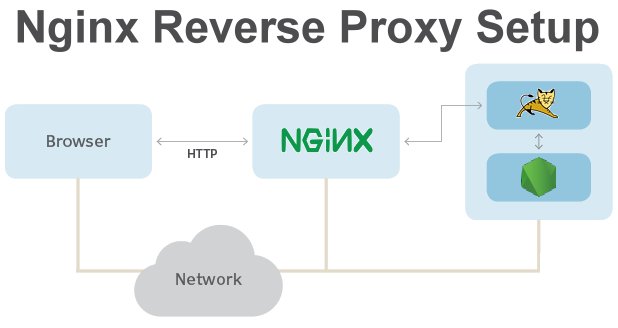
If you’re learning Linux for DevOps, also check our guide on How Nginx Works as a Reverse Proxy.
This article lists must-know Linux commands with real use cases for developers.
Core Linux Commands for File & Directory Management are as follows-
pwd: Prints the current working directory.ls: Lists directory contents. Use options like-lfor details and-afor hidden files.cd <directory>: Changes the directory.mkdir <directory>: Creates a new directory.touch <file>: Creates an empty file or updates a timestamp.cp <source> <destination>: Copies files or directories.mv <source> <destination>: Moves or renames files.rm <file>: Removes files or directories (with-r).cat <file>: Displays file contents.
less <file>: Views large files with pagination.head <file>/tail <file>: Shows the beginning or end of a file.grep "pattern" <file>: Searches for patterns in files.find /path -name "pattern": Searches for files and directories.
chmod <permissions> <file>: Changes file permissions.chown <user>:<group> <file>: Changes file owner and group.sudo <command>: Executes commands with root privileges.
ps aux: Displays running processes.top/htop: Shows real-time process and resource usage.kill <PID>: Terminates a process.df -h: Shows free disk space.du -sh <directory>: Summarizes directory disk usage.
ssh user@host: Connects securely to a remote server.scp <source> <destination>: Copies files securely between hosts.wget <URL>/curl <URL>: Downloads files or transfers data.
tar -czvf archive.tar.gz <directory>: Creates a compressed archive.tar -xzvf archive.tar.gz: Extracts an archive.|(pipe): Redirects command output as input to another command.man <command>: Displays the manual page for a command.
According to the official Linux documentation, these commands form the foundation of daily system administration.
linux commands.
cd <directory>: Changes the current working directory to the specified directory. ls: Lists files and directories in the current directory. Understanding and utilizing essential linux commands is crucial for developers engaged in server management or cloud infrastructure. Mastery of these commands enhances efficiency and productivity in DevOps practices. For instance, commands such as cd facilitate navigation within the file system, while ls provides a clear overview of directory contents. Additionally, commands like grep and chmod play significant roles in searching through files and managing permissions, respectively, further empowering developers to optimize their workflows and tackle complex tasks effectively. Familiarity with tools like vi or nano for text editing can significantly improve a developer’s ability to manipulate files directly on a server. Moreover, the use of shell scripting allows for automation of repetitive tasks, saving time and reducing the potential for human error. Understanding how to use commands like cp and mv for file manipulation is also essential for efficient file management. As developers grow more comfortable with these commands, they can leverage them to streamline their processes and increase productivity in their projects. Mastering the command line enables developers to execute tasks quickly without relying on graphical interfaces. Furthermore, skills in network commands such as ping and curl aid in diagnosing connectivity issues and retrieving data from web servers. Learning about version control systems like Git enhances collaboration, allowing teams to track changes and manage code effectively. In addition, understanding process management commands like top and kill is crucial for monitoring system performance and terminating unresponsive applications. Ultimately, this knowledge fosters a more agile development environment, where troubleshooting and deployment can occur seamlessly.