The internet is something developers use every day, yet many don’t fully understand how it actually works behind the scenes. Knowing how the internet functions—from typing a URL to receiving a response—helps developers debug issues, design better systems, and build more reliable applications.
This article explains how the internet works step by step, focusing on the concepts every developer should understand, without unnecessary complexity.
What Is the Internet?
At its core, the internet is a global network of interconnected computers (servers and clients) that communicate using standardized protocols.
It is not a single entity or server. Instead, it is a massive collection of:
Data centers
Routers
Cables (fiber, copper, undersea cables)
Wireless networks
Servers and client devices
All communication on the internet follows agreed-upon rules called protocols.
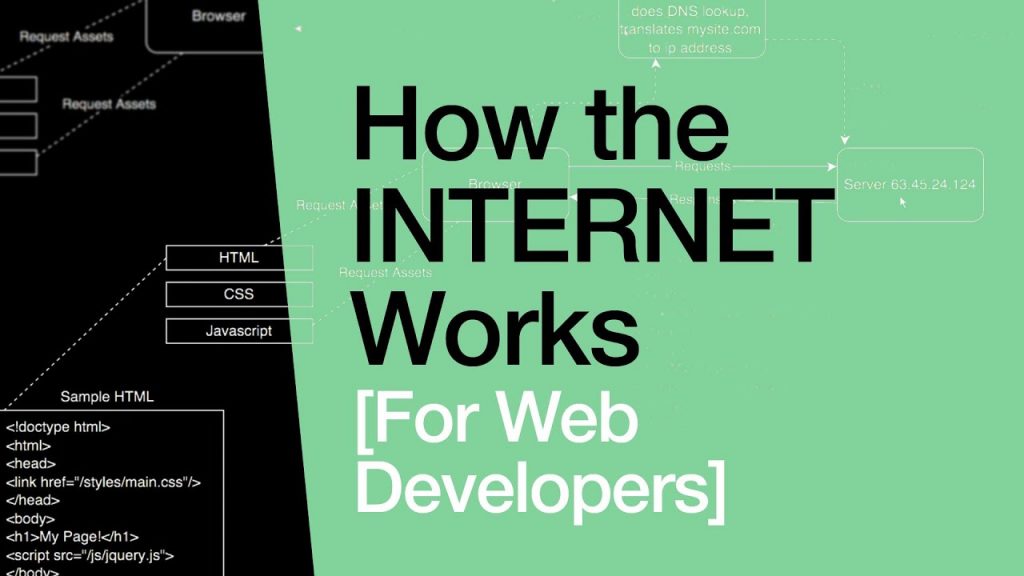
Client and Server Model
Most internet interactions follow the client–server model.
Client: Your browser, mobile app, or API consumer
Server: A machine that stores data or runs applications
Example:
Browser (client) requests a webpage
Web server (server) responds with HTML, CSS, and JavaScript
What Happens When You Type a URL in the Browser?
Let’s break this down step by step.
1. URL Parsing
When you type a URL like:
The browser identifies:
Protocol:
httpsDomain name:
example.com
2. DNS Lookup (Domain Name System)
Computers don’t understand domain names—they use IP addresses.
DNS translates:
Steps involved:
Browser checks DNS cache
OS checks DNS cache
DNS resolver queries DNS servers
IP address is returned
3. Establishing a Connection
Depending on the protocol:
HTTP ? TCP connection
HTTPS ? TCP + TLS handshake
This connection ensures reliable data transfer between client and server.
4. HTTPS and TLS Handshake
For HTTPS:
Server sends SSL certificate
Browser verifies certificate
Encryption keys are exchanged
Secure communication begins
This ensures:
Data privacy
Data integrity
Authentication
5. HTTP Request Is Sent
The browser sends an HTTP request such as:
The request includes:
Method (GET, POST, etc.)
Headers
Optional body
6. Server Processes the Request
The server:
Routes the request
Executes backend logic
Queries databases if needed
Generates a response
7. HTTP Response Is Returned
The server responds with:
Status code (200, 404, 500)
Headers
Body (HTML, JSON, etc.)
8. Browser Renders the Page
The browser:
Parses HTML
Loads CSS and JavaScript
Executes JS
Renders the UI
Core Internet Protocols Developers Must Know
HTTP / HTTPS
Used for web communication between clients and servers.
TCP/IP
Handles reliable data transmission and routing.
DNS
Maps domain names to IP addresses.
TLS/SSL
Encrypts data for secure communication.
FTP / SFTP
Used for file transfers.
IP Addresses Explained
Every device on the internet has an IP address.
Types:
IPv4 (e.g., 192.168.1.1)
IPv6 (modern, larger address space)
Public IPs identify devices on the internet, while private IPs are used inside local networks.
Ports and Services
Ports identify which service is running on a server.
Common ports:
80 ? HTTP
443 ? HTTPS
22 ? SSH
21 ? FTP
3306 ? MySQL
Example:
How Data Travels Across the Internet
Data is broken into packets.
Each packet:
Travels independently
Passes through multiple routers
Is reassembled at the destination
Routers decide the best path dynamically.
CDNs (Content Delivery Networks)
A CDN stores copies of content across global locations.
Benefits:
Faster load times
Reduced server load
Better availability
Examples:
Cloudflare
Akamai
Fastly
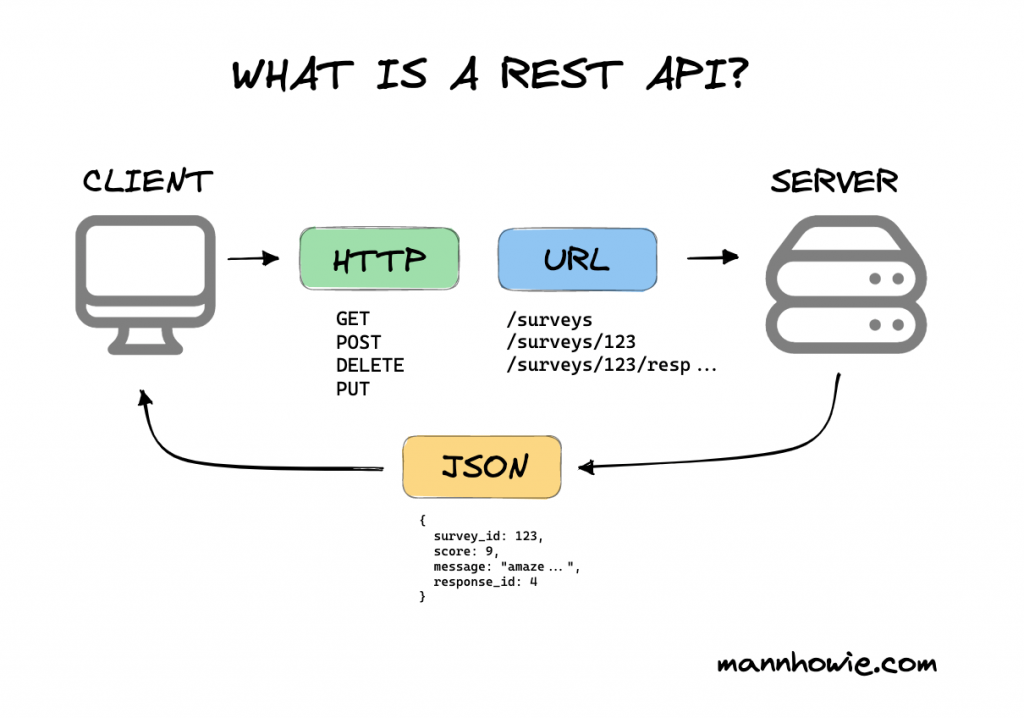
How APIs Work Over the Internet
APIs use HTTP/HTTPS to exchange data.
Example flow:
Client sends API request
Server processes data
JSON response returned
Most modern apps are built on APIs.
Firewalls, NAT, and Proxies
Firewalls
Control allowed traffic.
NAT (Network Address Translation)
Allows multiple devices to share one public IP.
Proxies
Act as intermediaries between client and server.
Examples:
Reverse proxies (Nginx)
Forward proxies
Cloudflare edge network
How the Internet Handles Failures
The internet is fault-tolerant:
Multiple routes exist
Failed paths are bypassed
DNS can switch IPs
Load balancers redirect traffic
This design ensures high availability.
Common Internet Concepts Developers Often Miss
DNS caching causes “it works for me” issues
HTTPS misconfiguration leads to mixed content errors
Latency is often network-related, not code-related
Timeouts matter more than raw speed
Packet loss impacts performance
Why Developers Should Understand the Internet
Understanding how the internet works helps you:
Debug production issues
Optimize performance
Secure applications
Design scalable systems
Communicate better with DevOps teams
Frequently Asked Questions
Is the internet the same as the web?
No. The internet is the infrastructure; the web is a service built on it.
Is HTTP stateless?
Yes. Each request is independent.
Why is HTTPS mandatory?
For security, trust, and SEO.
Final Thoughts
The internet may seem abstract, but it follows clear, logical rules. Once developers understand DNS, HTTP, networking, and data flow, many “mysterious” bugs suddenly make sense.
A strong understanding of how the internet works turns a developer from someone who just writes code into someone who builds reliable, production-ready systems.